FOR A VIDEO TUTORIAL OF THE BENCHMARKING SECTION, PLEASE SCROLL DOWN.
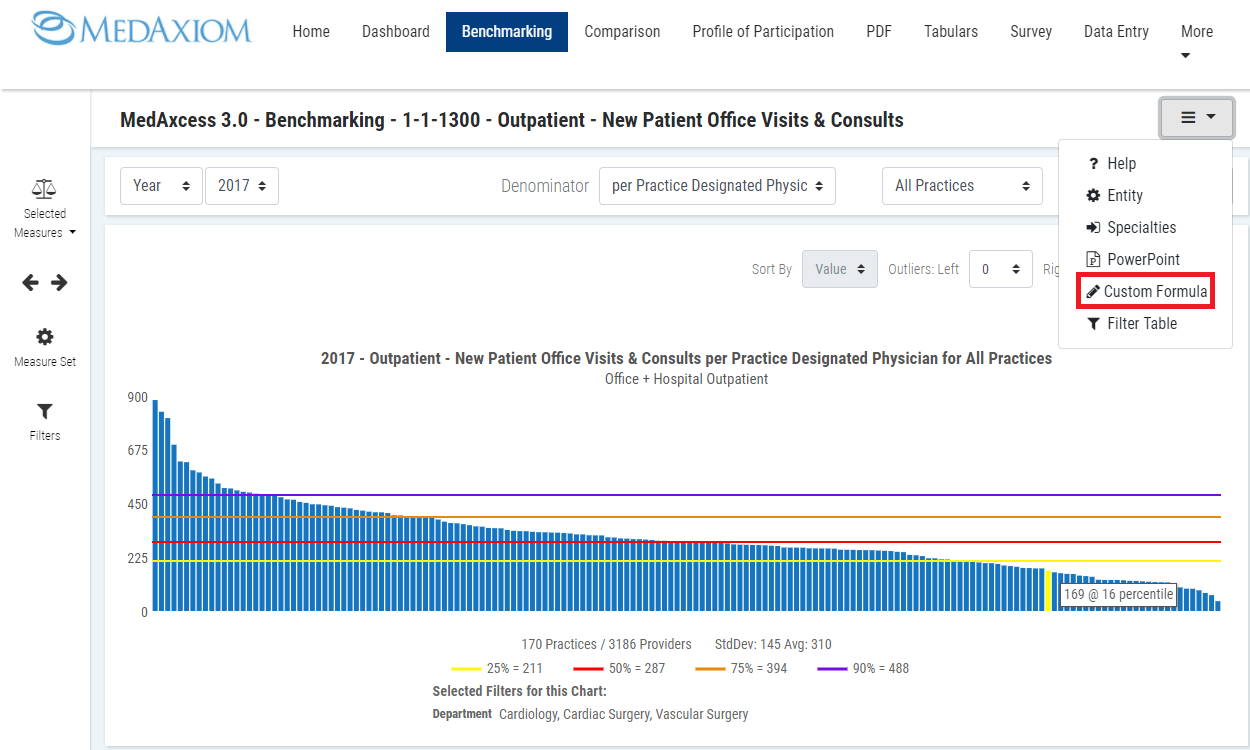
1. Click the hamburger drop menu icon in the upper right corner.

2. Click the Custom Formula option in drop menu.
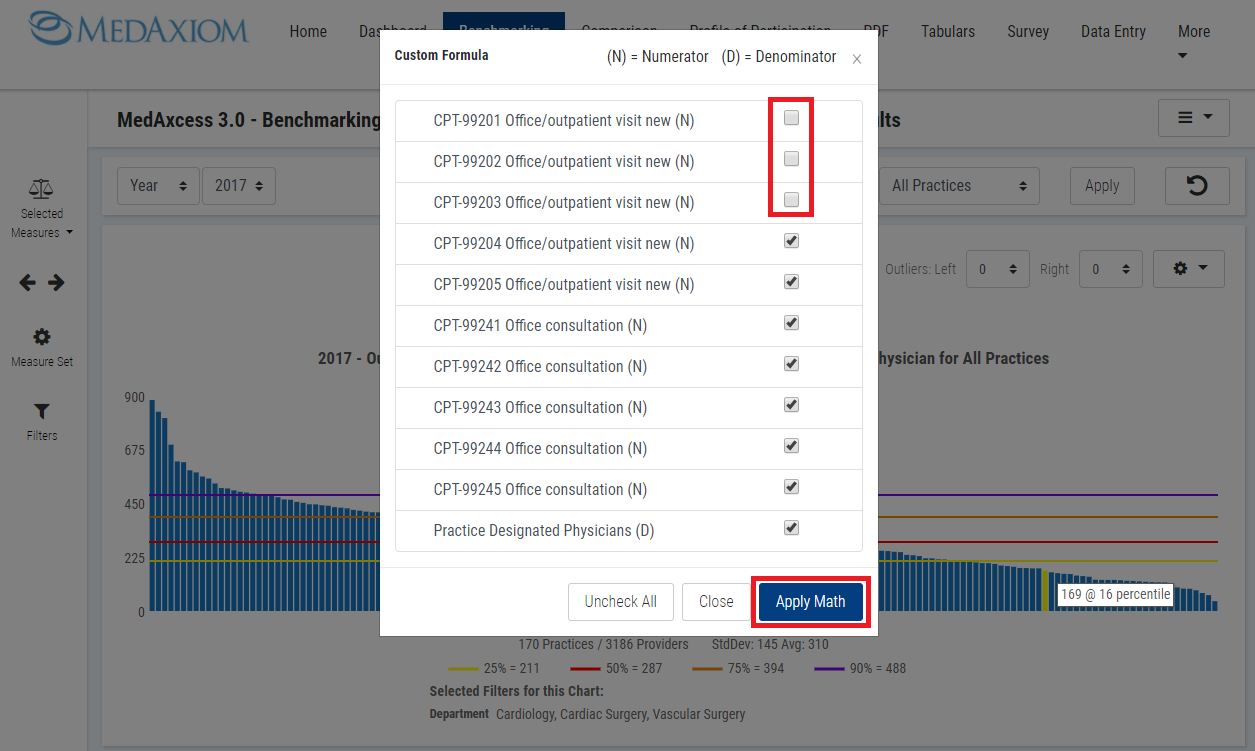
3. Uncheck the box next to each measure you want to exclude, then click the Apply Math button.
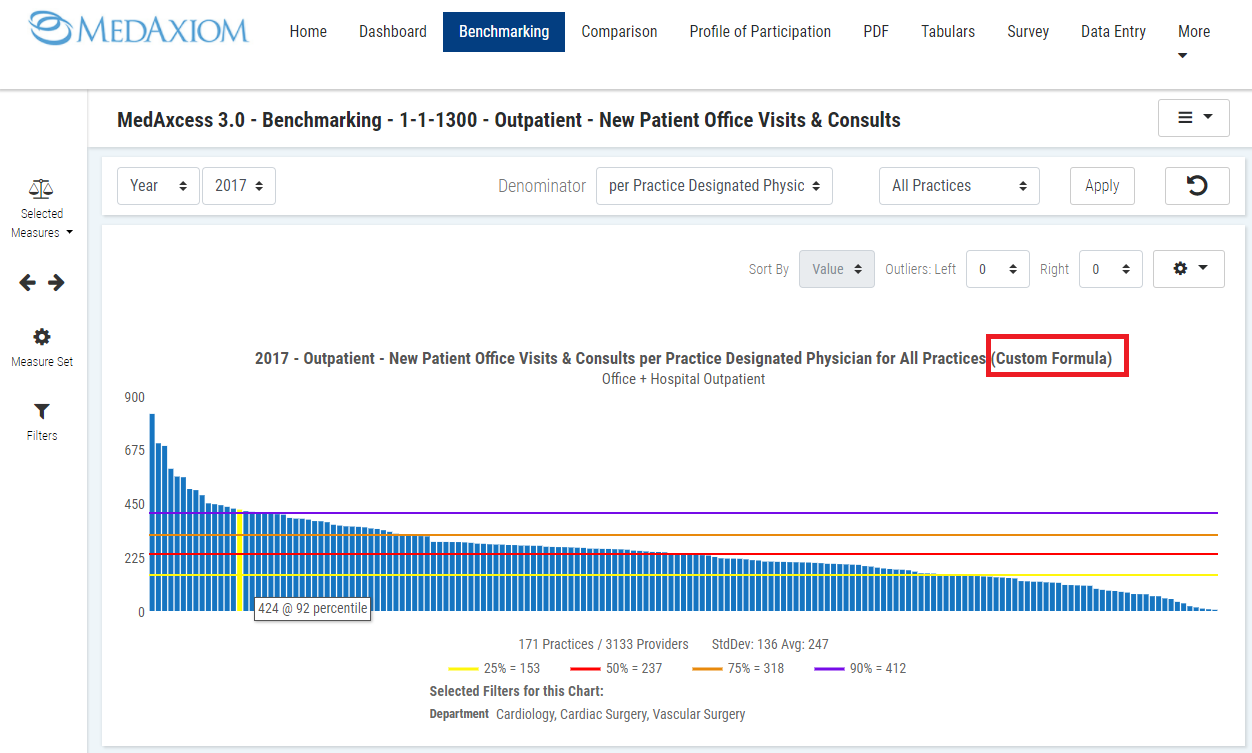
Custom Formula results.
Note: Your benchmarking and trending graph will display (Custom Formula) in the graph title.
BENCHMARKING TAB VIDEO TUTORIAL: